Use Case: Managing the Homework Cycle
Walkthrough for homework assignment, tracking, verification, and feedback.
For the full homework management reference, see Homework Management. For the student's perspective, see Submitting Homework.
Prerequisites
- Active course with enrolled students
- Homework lessons created in your course (using the Lex Editor)
- Familiarity with the Lex Editor
Phase 1: Creating Homework Content
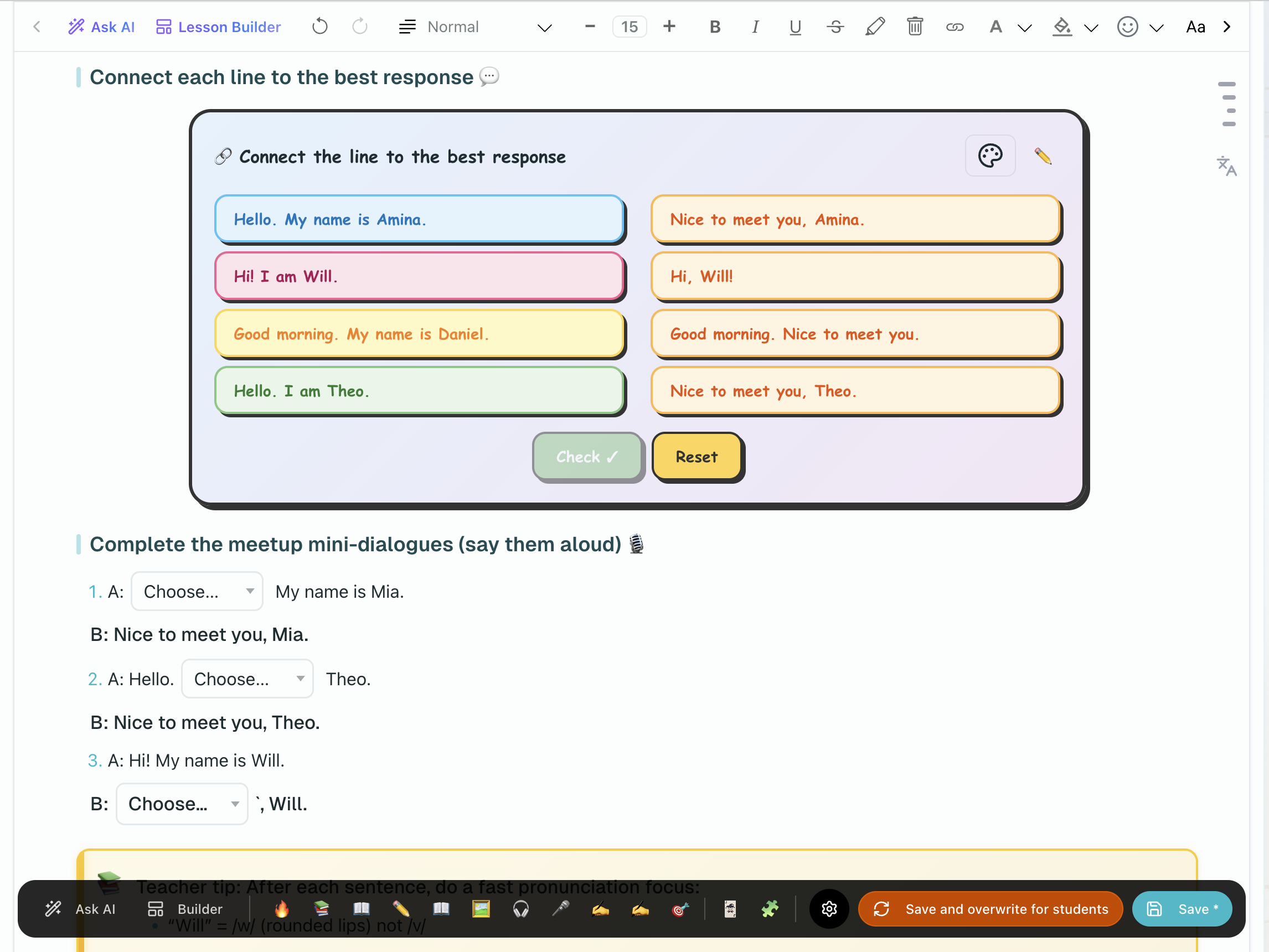
Homework assignments are course lessons with type Homework. Create them in your course using the Lex Editor.
Open Your Course
Go to Materials (/platform/materials) in the sidebar, open the My Courses tab, then select the course you want to add homework to.
Create a Homework Lesson
Create a new lesson and set its type to Homework. Give it a clear, descriptive name (e.g., "Unit 3: Past Tense Practice").
Build Content
Use the Lex Editor to add:
- Instructions and context
- Exercises (multiple choice, fill-in-the-blank, matching, sentence builder)
- Reading passages or vocabulary lists
- Audio or media for listening tasks
Save
Save the lesson. It is now part of your course and ready to be assigned.
Phase 2: Assigning Homework
Attach the homework lesson directly to a class lesson in the class plan (via the + Add task button on the lesson row), or click Assign a lesson in the Journal header (/platform/workspace), select the homework lesson and recipients, and confirm. See Homework Management — Assigning for the full walkthrough.
Phase 3: Tracking Progress
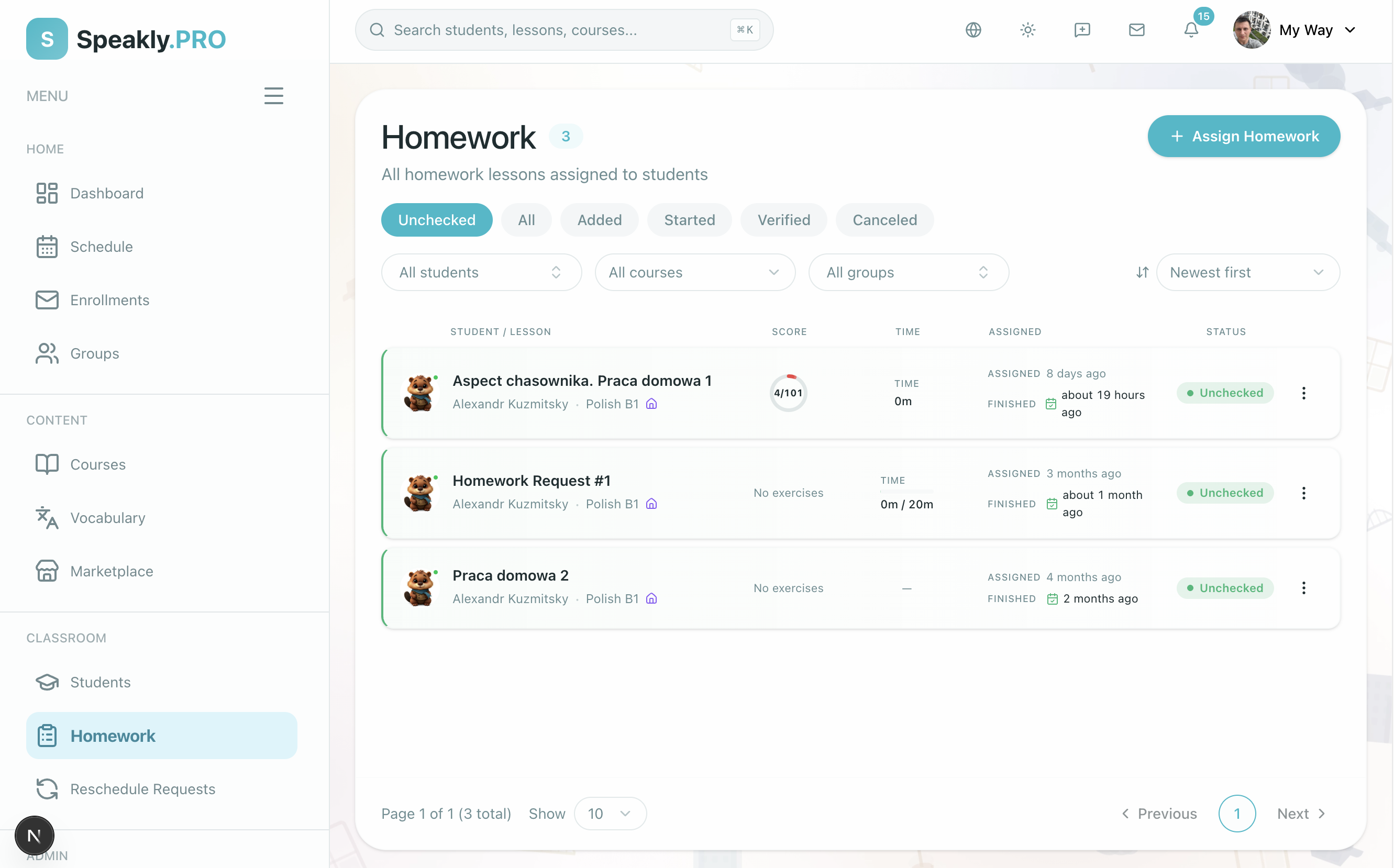
Use the Homework tab in the Journal (/platform/workspace?tab=homework) or on the class page (?tab=homework) to monitor submissions. Filter by status (Unchecked, Added, Started, Verified, Canceled) to find what needs attention. The status flow is: Added → Started → Passed → Verified. See Homework Management — The Homework Workspace for the full status reference.
Phase 4: Verifying Submissions
Filter by Unchecked to see submitted homework. Open a submission, review auto-checked and manual exercises, add written feedback (up to 1024 characters), and click Finish to verify. See Homework Management — Verifying for details.
Phase 5: After Verification
After verifying submissions, review common patterns:
- Common mistakes or weak areas across students
- Which exercises students struggled with most
- Whether the homework difficulty was appropriate
Use these insights to plan review sessions and adjust future homework.
Next Steps
-
Homework Management - Detailed reference for all homework features
-
Running Live Sessions - Review homework in live class