Writing Review Options
Choose between manual writing review, Freeform Answer checks, handwriting tools, and AI-assisted assessment.
Who this is for
Teachers who assign written work and need to choose the right review workflow.
What this page answers
- When should I use a simple Essay widget?
- When should I use Freeform Answer with teacher grading or an optional AI check?
- When should I use Writing Assessment with handwriting uploads?
- What can AI assessment check?
- Who makes the final grading decision?
Four ways to check writing
Locuto.PRO supports four practical writing-review workflows.
| Workflow | Best for | Who checks it |
|---|---|---|
| Essay | simple typed responses, reflections, free writing, short homework | teacher manually |
| Freeform Answer | short open answers where meaning matters more than exact wording | teacher manually or optional AI check |
| Writing Assessment | handwritten work, photo uploads, detailed error markup | teacher with review tools |
| AI assessment | typed or handwritten work that needs structured feedback and analytics | AI-assisted, teacher-reviewed |
Automated writing feedback is a teaching aid, not a final grading authority. The teacher remains responsible for checking the result before using it as a grade or formal evaluation.
Option 1: Essay widget
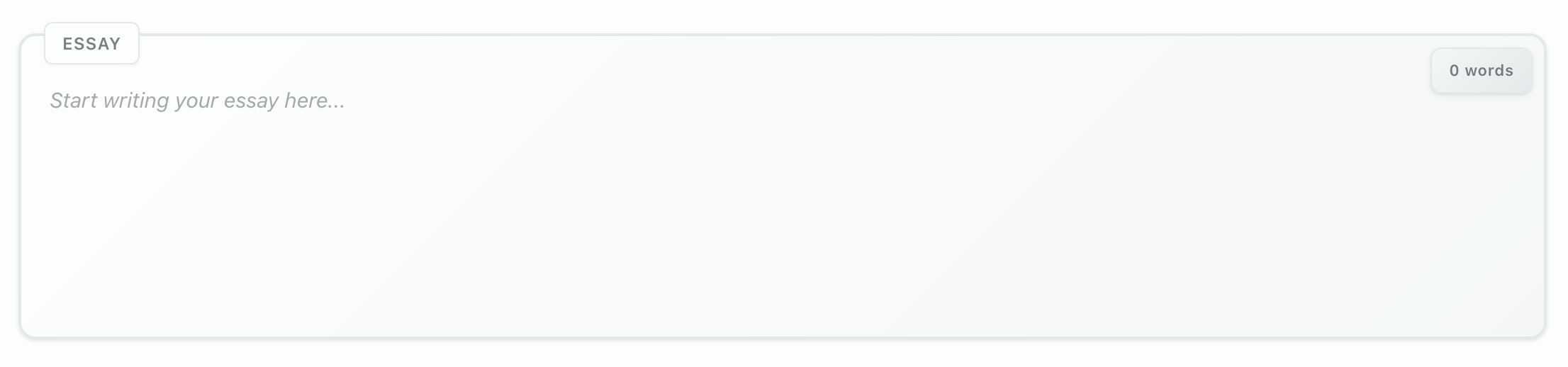
Use the Essay widget when the student should write directly in the lesson and the teacher will review the response manually.
The Essay widget is intentionally simple:
- open text field
- word counter
- student response saved with the lesson
- manual teacher feedback after submission
It is best for free practice, reflections, short answers, journals, and homework where teacher judgment matters more than automated scoring.
Option 2: Freeform Answer
Use Freeform Answer for a short response that can be correct in more than one wording. When you configure it, choose whether the answer is checked by AI or graded by a teacher.
- Optional AI check evaluates the response against the teacher's reference and criteria and returns feedback when checking is enabled.
- Teacher grading leaves the decision to the teacher. A manually graded Freeform Answer does not start an AI check when an exam is completed; the teacher reviews the answer and marks it from the answer panel.
- The learner sees the answer, feedback, and remaining attempts according to the lesson's reveal rules.
If an AI check is used, the Course CEFR level can calibrate the clarity expected for the task. This is different from the separate holistic CEFR Level Assessment, which estimates an overall level from a submission.
Freeform Answer is not automatically AI-graded just because it appears in a lesson. Confirm the task setting and the school's assessment billing policy before assigning it.
Option 3: Writing Assessment with handwriting upload
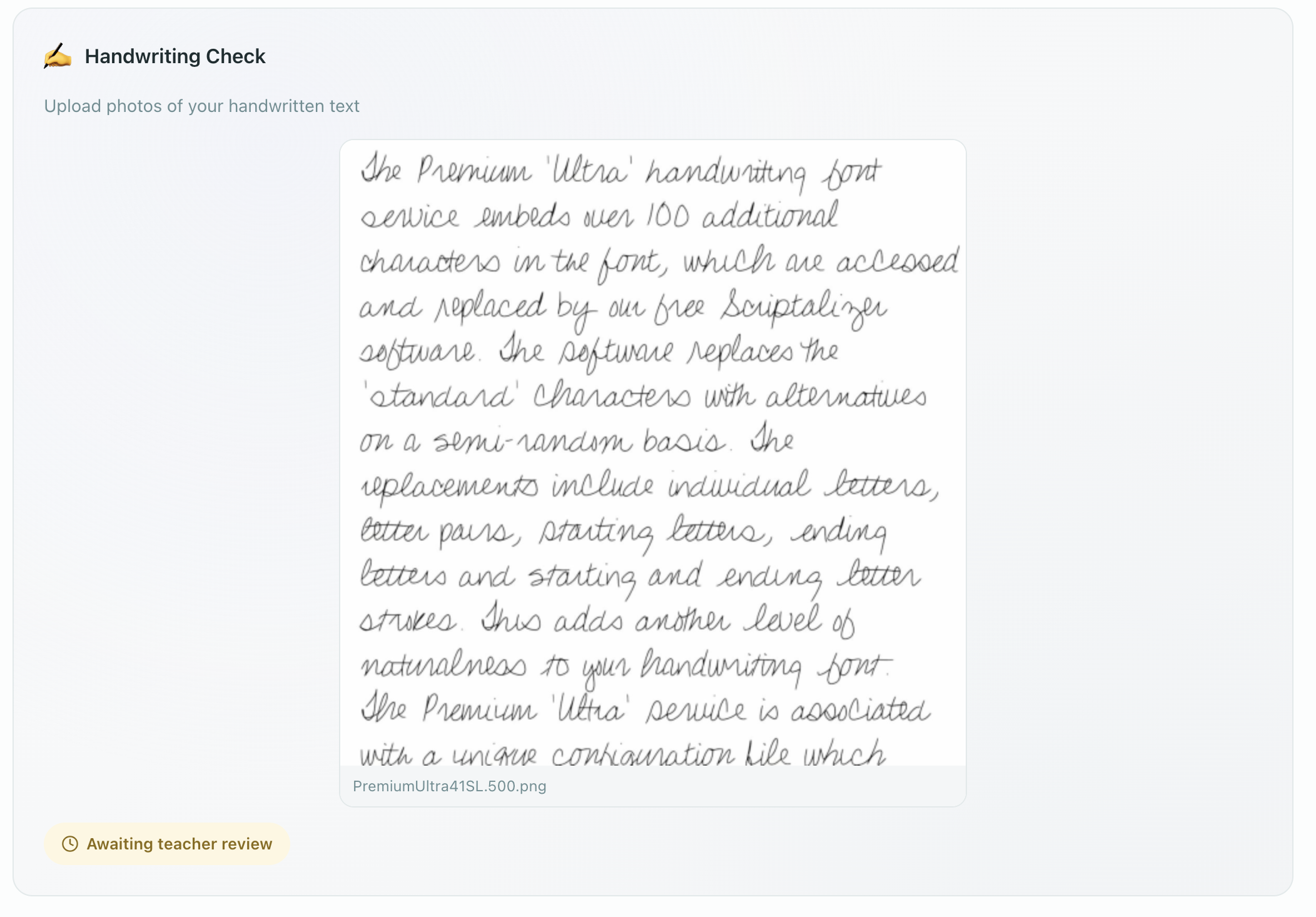
Use Writing Assessment when students need to submit handwritten work. Students can upload up to 3 photos for review.
Reviewing and revoking handwriting submissions
- Dedicated Review Queue — Pending handwritten submissions appear in a dedicated queue under the Homework tab, with badges indicating unreviewed items.
- Direct Deep Links — Clicking any review item opens the lesson and jumps directly to that specific widget in the editor.
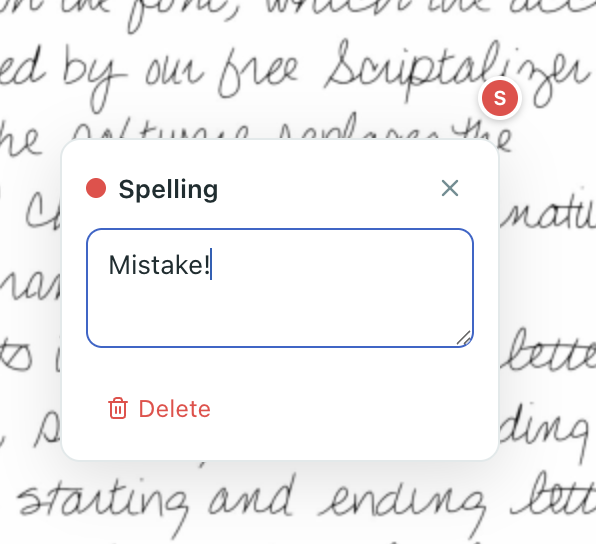
- Review Tools — Mark errors, add color-coded annotations, and attach feedback explanations.
- Revoking for Revision — If a student submitted illegible photos or an incomplete task, the teacher can return the submission to the student for revision so they can re-upload fresh photos.
This workflow is useful when the teacher needs to show exactly where a handwriting, spelling, grammar, or structure problem appears in the submitted work.
Option 4: AI assessment
AI assessment can evaluate:
- typed student text
- handwritten text from uploaded photos, after handwriting recognition
The assessment can provide structured feedback similar to an examiner workflow:
- task completion and relevance
- organization and structure
- vocabulary and grammar
- error patterns
- improvement recommendations
- rubric-style analytics when the task uses an exam preset
Always review AI feedback before relying on it. AI can misread handwriting, misunderstand task context, or overstate a correction. Use the result to speed up review, then apply teacher judgment.
When a person has to check the AI result
Writing assessed by AI in a school exam lesson may be sent to a teacher before it can count towards a formal outcome — typically when the score sits close to the pass mark, when the assessment flagged the submission itself, or when the student asks for a check.
See AI oversight and human review for the teacher-review workflow, what each decision means, and the school-wide policy setting.
Choosing the right workflow
| Situation | Recommended workflow |
|---|---|
| Student writes a short paragraph in homework | Essay |
| Student answers a short open question with several acceptable phrasings | Freeform Answer; choose teacher grading or an optional AI check |
| Student uploads handwritten exam practice | Writing Assessment |
| Teacher wants detailed error markup on handwriting | Writing Assessment |
| School needs structured exam-style feedback | AI assessment, then teacher review |
| The lesson is student-paid | Check the student's personal balance and operation allowance before enabling an AI check |